Configure a HashiCorp Vault Client Token Credential Provider
Aembit’s Credential Provider for HashiCorp Vault (or just Vault) enables you to integrate Aembit with your Vault services.
This Credential Provider allows your Client Workloads to securely authenticate with Vault using OpenID Connect (OIDC) and obtain short-lived JSON Web Tokens (JWTs) for accessing Vault resources.
- OIDC Issuer URL - OpenID Connect (OIDC) Issuer URL, auto-generated by Aembit, is a dedicated endpoint for OIDC authentication within HashiCorp Vault.
Accessing Vault on private networks
Section titled “Accessing Vault on private networks”For Vault instances on private networks, enable Private Network Access during configuration to allow your colocated Agent Proxy to handle authentication directly.
For details on when to use Private Network Access, how it works, and troubleshooting, see Private Network Access for Credential Providers.
Configure a Vault Credential Provider
Section titled “Configure a Vault Credential Provider”To configure a Vault Credential Provider, follow these steps:
-
Log in to your Aembit Tenant, and in the left sidebar menu, go to Credential Providers.
-
Click + New, which reveals the Credential Provider page.
-
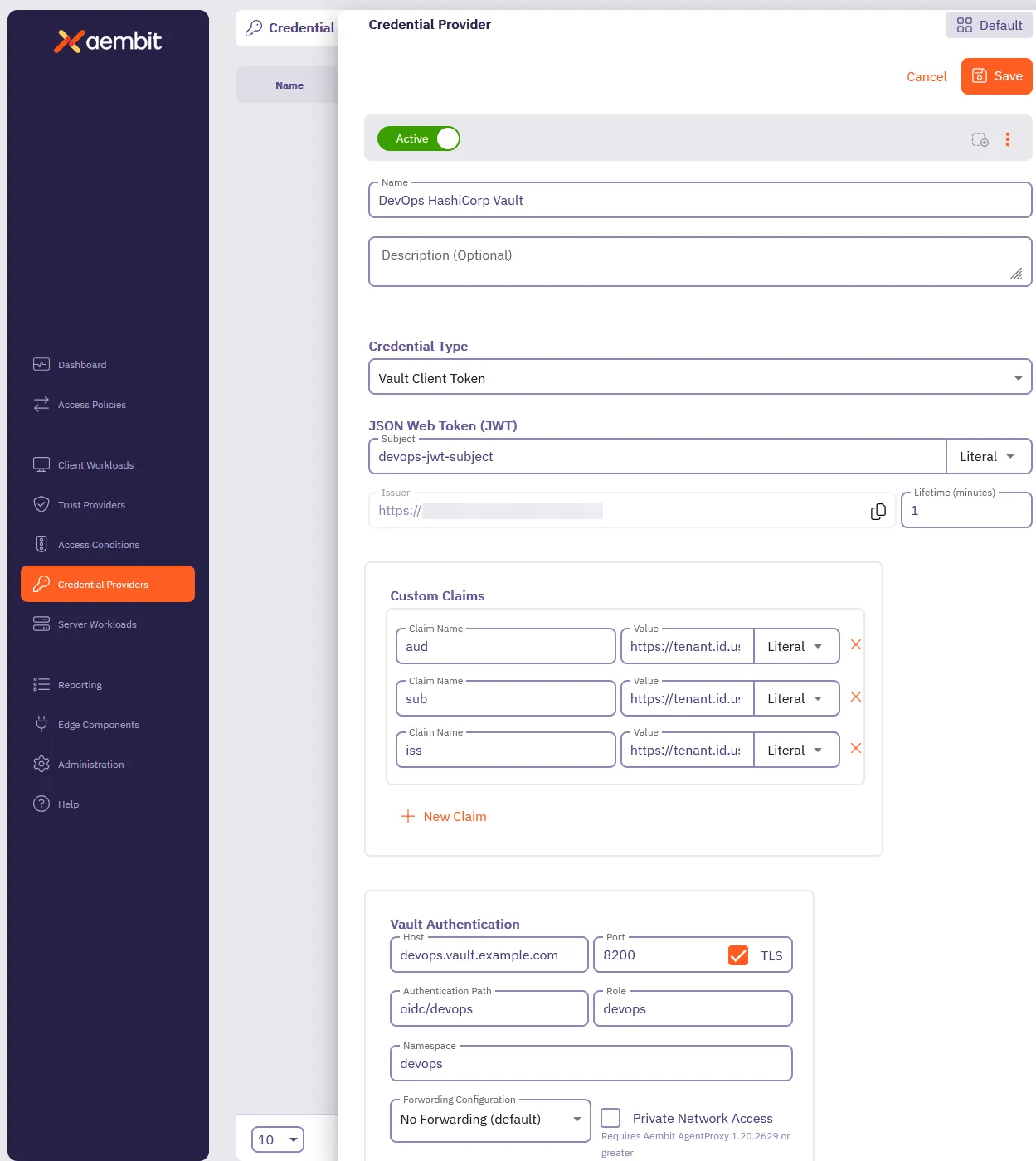
In the Credential Providers dialog window, enter the following information:
-
Enter a Name and optional Description.
-
In the Credential Type dropdown, select Vault Client Token, revealing new fields.
-
In the JSON Web Token (JWT) section, enter a Vault-compatible Subject value.
If you configured Vault Roles with
bound_subject, the Subject value needs to match thebound_subjectvalue exactly. -
Define any Custom Claims you may have by clicking + New Claim, and entering the Claim Name and Value for each custom claim you add.
-
Enter the remaining details in the Vault Authentication section:
-
Host - Hostname of your Vault Server.
-
Port - The port to access the Vault service. Optionally, you may check the TLS checkbox to require TLS connections to your Vault service.
-
Authentication Path - The path to your OIDC authentication configuration in the Vault service.
-
Role - The access credential associated with the Vault Authentication Path.
-
Namespace - The environment namespace of the Vault service.
-
Forwarding Configuration - Specify how Aembit should forward requests between Vault clusters or servers.
This setting ensures Aembit’s request handling aligns with your Vault cluster’s forwarding configuration. See Vault configuration parameters for more details about request forwarding in Vault.
For more info, see the Vault configuration parameters in the official HashiCorp Vault docs.
-
Private Network Access - Enable this if your Vault exists in a private network or is only accessible from your Edge deployment. See Accessing Vault on private networks for details.
-
-
Click Save.
Aembit displays your new Vault Credential Provider on the Credential Providers page.