Process Path
This page explains how to use the Process Path identifier to identify workloads deployed on Virtual Machines.
Understanding the process path identifier
Section titled “Understanding the process path identifier”The Process Path is the full filesystem path to the executable binary of a Client Workload process running on a Virtual Machine. This identifier is useful when multiple applications share the same process name but exist in different directories.
For example, if you run multiple Java installations on the same machine, you can distinguish between them using their paths:
/usr/lib/jvm/java-17-openjdk/bin/java/usr/lib/jvm/java-11-openjdk/bin/java
Applicable deployment type
Section titled “Applicable deployment type”Aembit supports the Process Path identification method for Edge-based deployments on Linux Virtual Machines.
To use this method of client workload identification, you must set the
AEMBIT_CLIENT_WORKLOAD_PROCESS_IDENTIFICATION_ENABLED environment variable to true.
By default, its value is false.
See Edge Component environment variables reference for details.
Create a Client Workload with a process path identifier
Section titled “Create a Client Workload with a process path identifier”To configure a Client Workload with a Process Path identifier, follow these steps:
-
Log into your Aembit Tenant.
-
In the sidebar, click Client Workloads.
-
Click + New to open the Client Workload editor panel.
-
Enter the Name and optional Description for the Client Workload.
-
Under Client Identification, select Process Path.
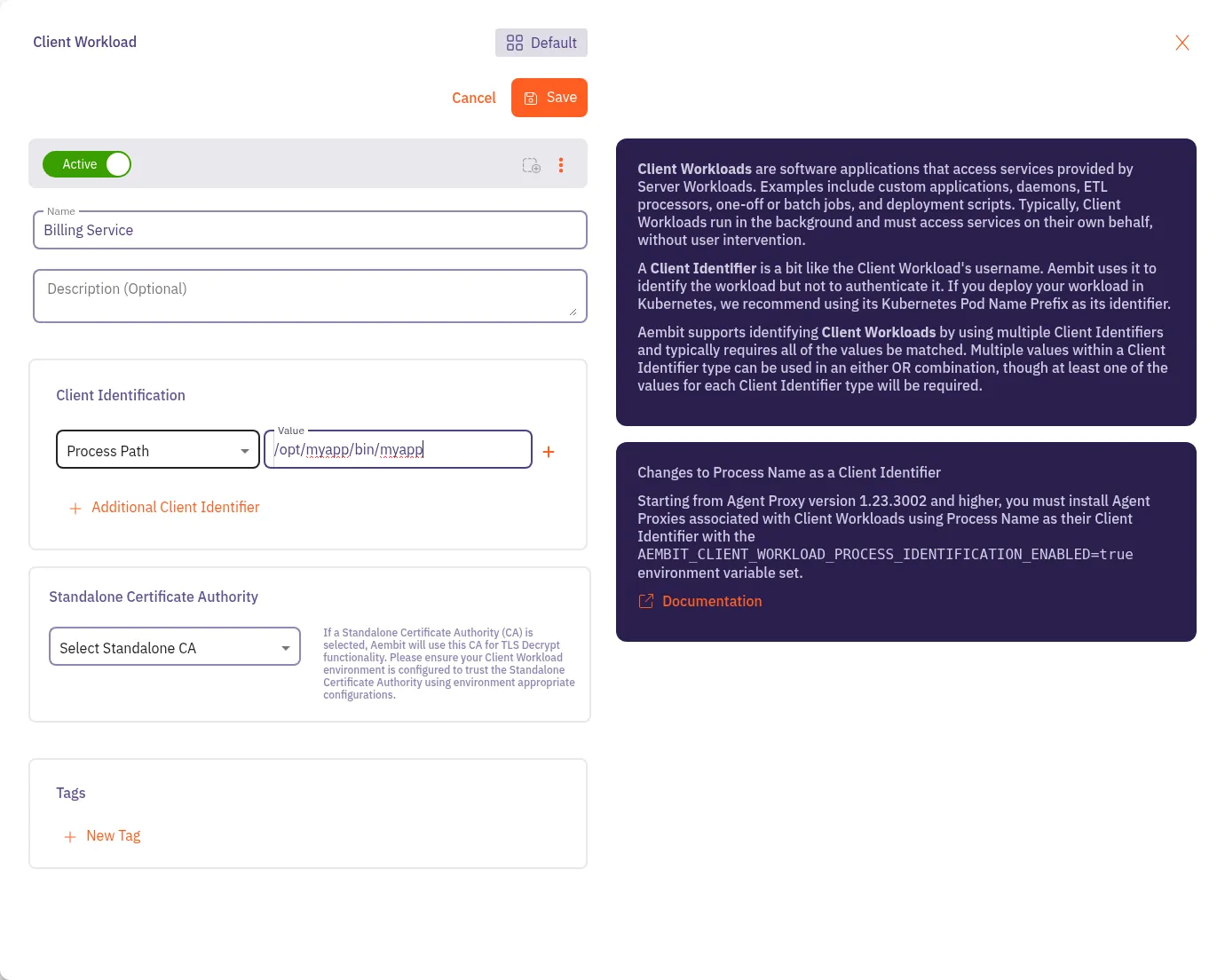
For Value, enter the full path to the executable binary that represents the Client Workload.
For example, if your application runs from
/opt/myapp/bin/myapp, enter/opt/myapp/bin/myappin the Value field.If you’re unsure how to find the path, see Find the process path.
-
Click Save.
Aembit displays the new Client Workload on the Client Workloads page.
Find the process path
Section titled “Find the process path”To find the executable path of a process on a Virtual Machine, follow these steps:
-
Open a terminal on your Virtual Machine.
-
Find the Process Identifier (PID) of your application:
Terminal window ps aux | grep <your-process-name> -
Use
readlinkto get the full executable path:Terminal window readlink -f /proc/<PID>/exeReplace
<PID>with the actual process ID from the previous step.This command returns the full path to the executable binary. Use this value as the Process Path in your Aembit Client Workload configuration.