Get started with Aembit Cloud API
The Aembit API is a lightweight, RESTful API. It enables clients to call API endpoints using standard HTTP URL syntax. Use it to perform Create, Read, Update, and Delete (CRUD) tasks and to access different types of resources and information. You send requests in URL and JSON format, and Aembit returns responses in readable JSON format.

Download the Cloud OpenAPI spec (YAML) Direct download of the raw OpenAPI specification.
→
You perform Create, Read, Update, and Delete operations using the following REST verbs:
- Create -
POST - Read -
GET - Update -
PUTorPATCH - Delete -
DELETE
Adhering to REST standards and best practices, Aembit designed the API to be straightforward, with minimal complexity or sophistication.
Authentication
Section titled “Authentication”To ensure only authorized users have access to the Aembit REST API, Aembit enforces authentication to validate and verify whether a developer can make requests. To provide flexibility to users, Aembit supports different authentication methods, depending on the type of API client you want to implement.
The following sections describe the available authentication methods.
Using the session access token
Section titled “Using the session access token”One way you may authenticate to the Aembit API is to use a session specific access token in your API requests. When you sign in to your tenant, Aembit assigns you an access token for this session.
To locate the access token, follow these steps:
- Log into your tenant. The Dashboard page appears.
- In the bottom-left corner of the Dashboard page, hover over your name. Notice that a Profile link appears.
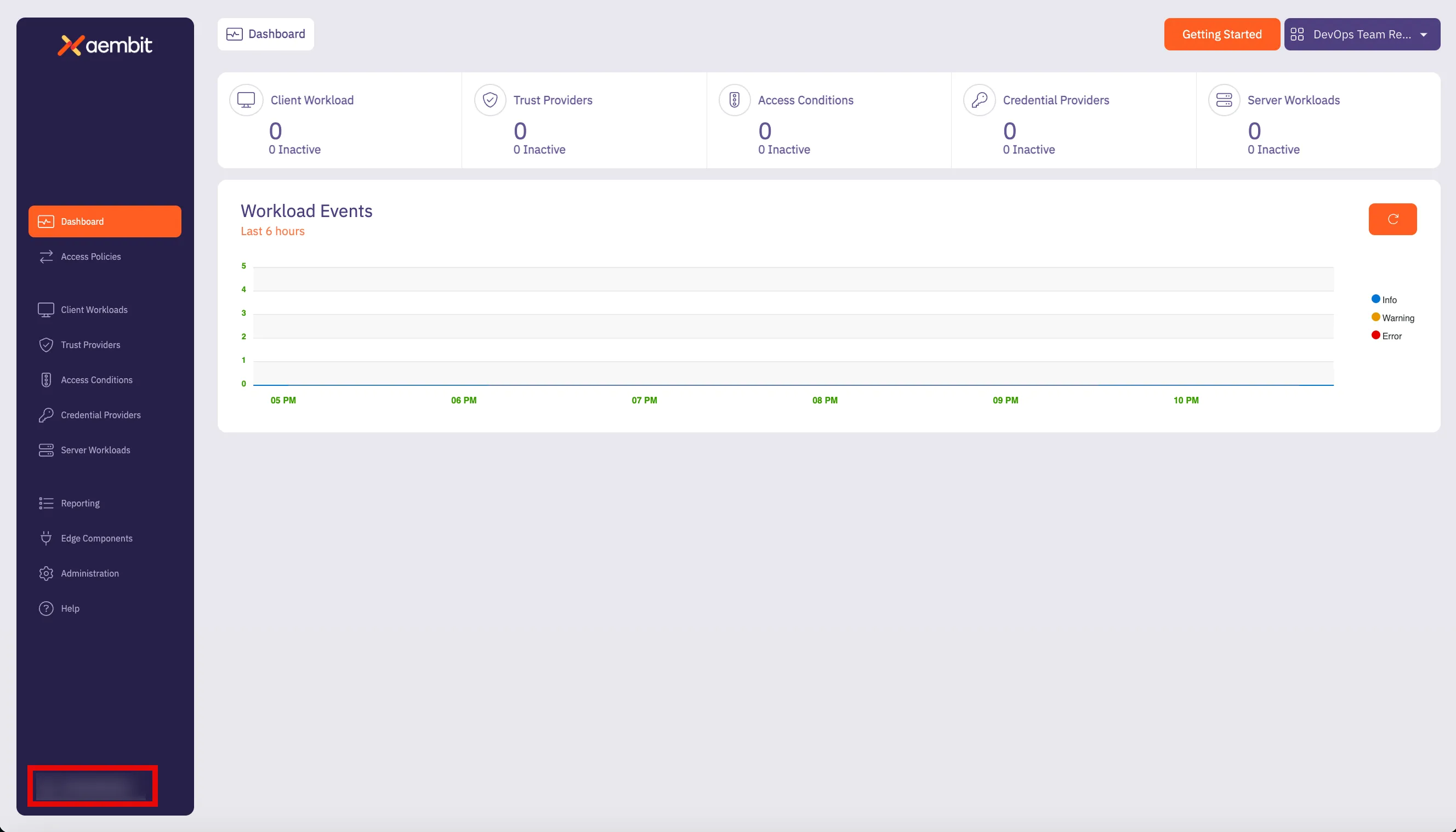
- Click the Profile link. The User Profile dialog window appears.
- In the API Access section of the dialog window, copy the values in the Access Token and API Base URL fields.
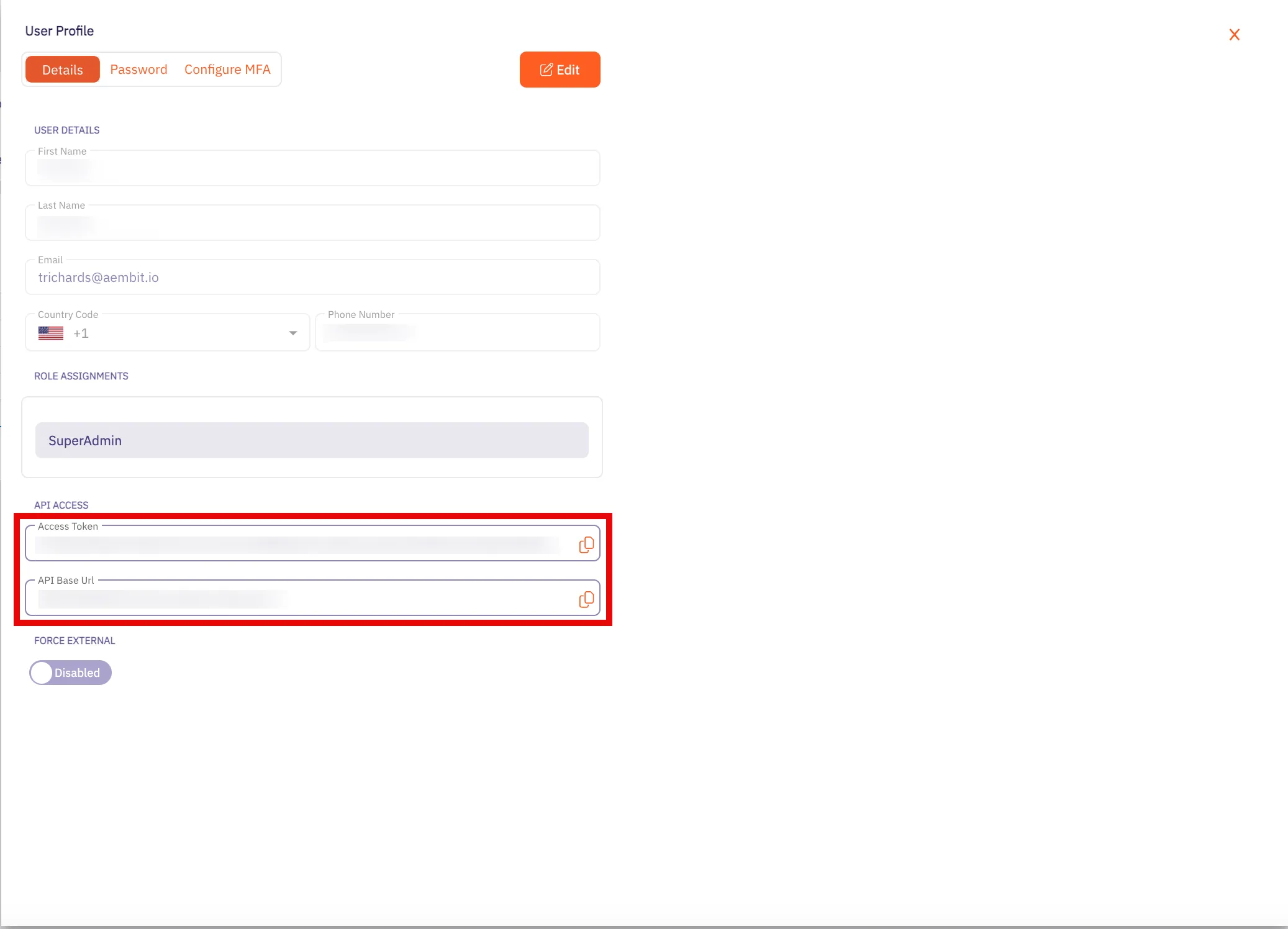
You may use the Access Token and API Base URL values in your API requests, as shown in the REST API request structure section.
Using Aembit native authentication
Section titled “Using Aembit native authentication”Aembit also supports authentication to the Aembit API using a native authentication capability which utilizes OIDC (Open ID Connect tokens) ID Tokens. This capability requires configuring your Aembit Tenant with the appropriate components as follows:
- Client Workload
- For the source of your API requests (for example, GitHub Actions, GitLab Jobs, etc.)
- Trust Provider
- To authenticate using cryptographic verification
- Credential Provider
- Using the Aembit Access Token type and a Role with permissions to the appropriate entities
- Server Workload
- Referencing the tenant-specific Aembit API hostname
- Access Policy
- Using the preceding access entities enables the configured Client Workload access to the Aembit API
REST API request structure
Section titled “REST API request structure”Making a REST API call to a server requires adhering to strict syntax and formatting guidelines for the server to process the request correctly. REST APIs rely on clients and users following prescribed URL structures and HTTP methods to ensure proper request handling and response generation. While there’s flexibility in data formats, the core structure of a REST API request remains consistent to perform specific actions and tasks in a single request.
The structure of a REST API call typically consists of the following elements:
- HTTP Method (REST Verb)
- REST API URL
- Base URL
- Version
- Resource
- HTTP Authorization Header Access Token
HTTP method (REST verb)
Section titled “HTTP method (REST verb)”When you want to make an API request, there are different types of requests (verbs) you can use, depending on what task you are trying to perform.
REST uses the following verbs:
- GET - retrieves information from one more resources
- POST - creates a new resource
- PUT - updates an existing resource
- PATCH - applies a partial update to an existing resource
- DELETE - deletes a resource
Base URL
Section titled “Base URL”The Base URL value is the standard HTTP address where clients send requests to the API server.
For the Aembit API, this value is the API Base URL from your Aembit Tenant. Retrieve it using the following steps:
-
Log into your Aembit Tenant.
-
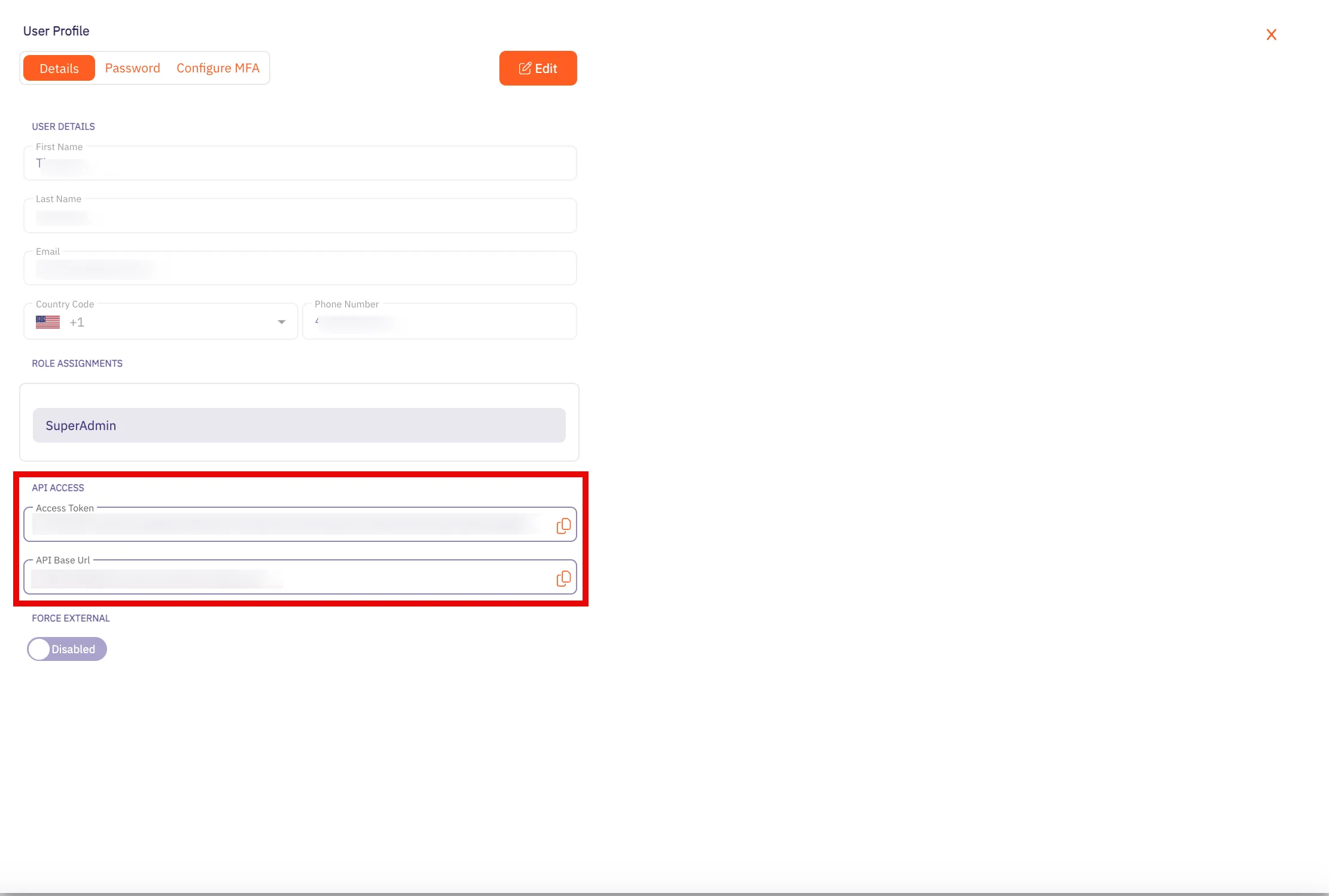
On the main Dashboard page, hover over your name in the bottom-left corner and click Profile. A User Profile dialog window appears.
-
In the API Access section, copy the values in the API Token and API Base URL fields. You need these values in your API client to make requests to the server.
Versioning
Section titled “Versioning”Every public API, including the Aembit API, includes a Version that distinguishes it from other API versions. If an organization manages multiple versions of an API (for example, v1, v2, v3, etc.), each version often includes different features and functions. Depending on the API version used in the request, you may have access to different features.
To make it easier for users to make calls to the correct API version, Aembit includes the version number in the API request. For example, in the Aembit API, a request with the version number looks like the following example:
/api/v1/users
The v1 in the URL specifies that the request is for the v1 version of the Aembit API. By adding the version number
in the URL, this tells the server that you want to access resources for that specific version of the API.
Resource
Section titled “Resource”The resource value is the specific resource you call. For example, server-workloads and client-workloads are
resources.
Access token
Section titled “Access token”The Access Token value is a unique identifier that you can include in the API request, enabling Aembit APIs to identify the requester and verify the enabled API permissions.
Resource Set (optional)
Section titled “Resource Set (optional)”Aembit supports an optional feature where customers can segment their tenant into multiple isolated Resource Sets that
don’t interact. To manage access entities in custom Resource Sets, you must provide an additional HTTP Header value,
X-Aembit-ResourceSet.
REST API request example
Section titled “REST API request example”A typical Aembit API request should look similar to the following curl examples:
curl -X GET -L 'https://tenant.aembit.io/api/v1/server-workloads' -H 'Authorization: Bearer <TOKEN>'
curl -X GET -L 'https://tenant.aembit.io/api/v1/server-workloads' -H 'Authorization: Bearer <TOKEN>' -H 'X-Aembit-ResourceSet: ffffffff-ffff-ffff-ffff-ffffffffffff'
Where:
GETis the type of requesthttps://tenant.aembit.io/apiis the Base URLv1is the API versionserver-workloadsis the resource you call
REST API response
Section titled “REST API response”Every REST API response includes an HTTP Status Code and a response body. Successful responses typically include a
response body with the Content-Type: application/json and associated, structured data.
Status codes
Section titled “Status codes”Whenever you use the Aembit REST API, you receive an HTTP status code after Aembit processes your request. The type of status code you receive depends on whether your request was successful.
The Aembit API uses standard HTTP Status Codes to denote whether a request has been successfully processed. You see three types of status codes returned after you make a request.
-
2XX Codes - If your request is successful, you receive a 2XX response code (for example, 200 or 201).
-
4xx Codes - If your request isn’t successful, and there is a client error in your request, you receive a 4XX error response code (for example, 401, 403, or 404).
-
5xx Codes - If your request isn’t successful, and there is a server error, you receive a 5XX error response code (for example, 500, 502, or 503).