Workload Discovery filtering and Global Policy Compliance reporting now available
Introducing Workload Discovery Filtering for improved workload management and visibility across your discovered infrastructure. This enhancement adds comprehensive filtering capabilities to both Client Workloads and Server Workloads discovery pages, enabling you to quickly locate and analyze specific workloads.
Filtering options include:
- Client Workloads: Filter by Client Workload Identifiers and Workload Discovery Source
- Server Workloads: Filter by Port, Protocol, and Workload Discovery Source
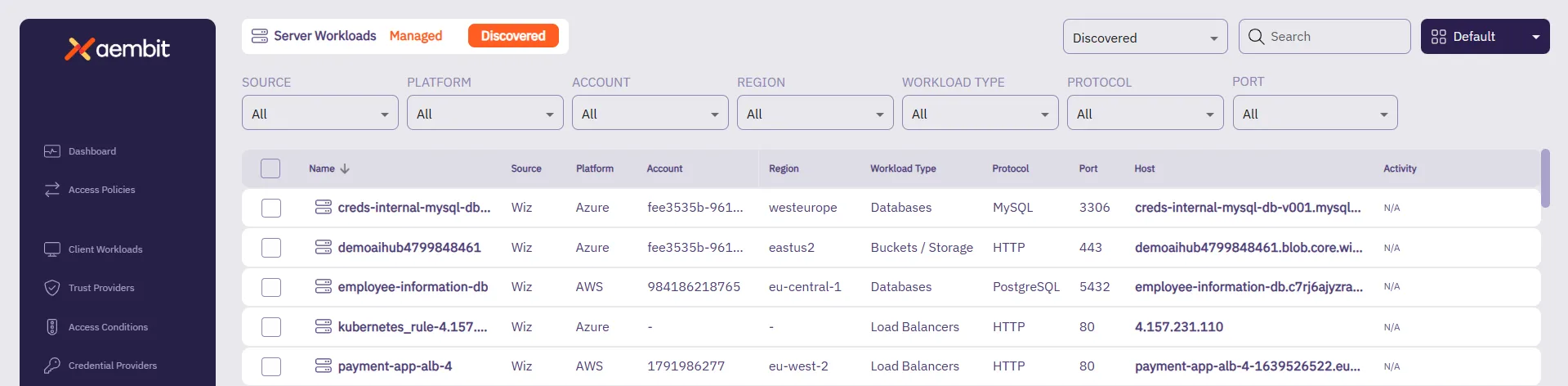
This feature streamlines workload management by enabling you to efficiently search through discovered workloads, making it easier to identify, analyze, and onboard relevant workloads into your Aembit environment.
To learn more about discovered workload filtering, see Workload Discovery Filtering.
You can now view the Global Policy Compliance status of your Access Policies using the new Global Policy Compliance page under Reporting in the left nav menu. Quickly get an overall view of the compliance status of your Access Policies and optionally filter for specific statuses.
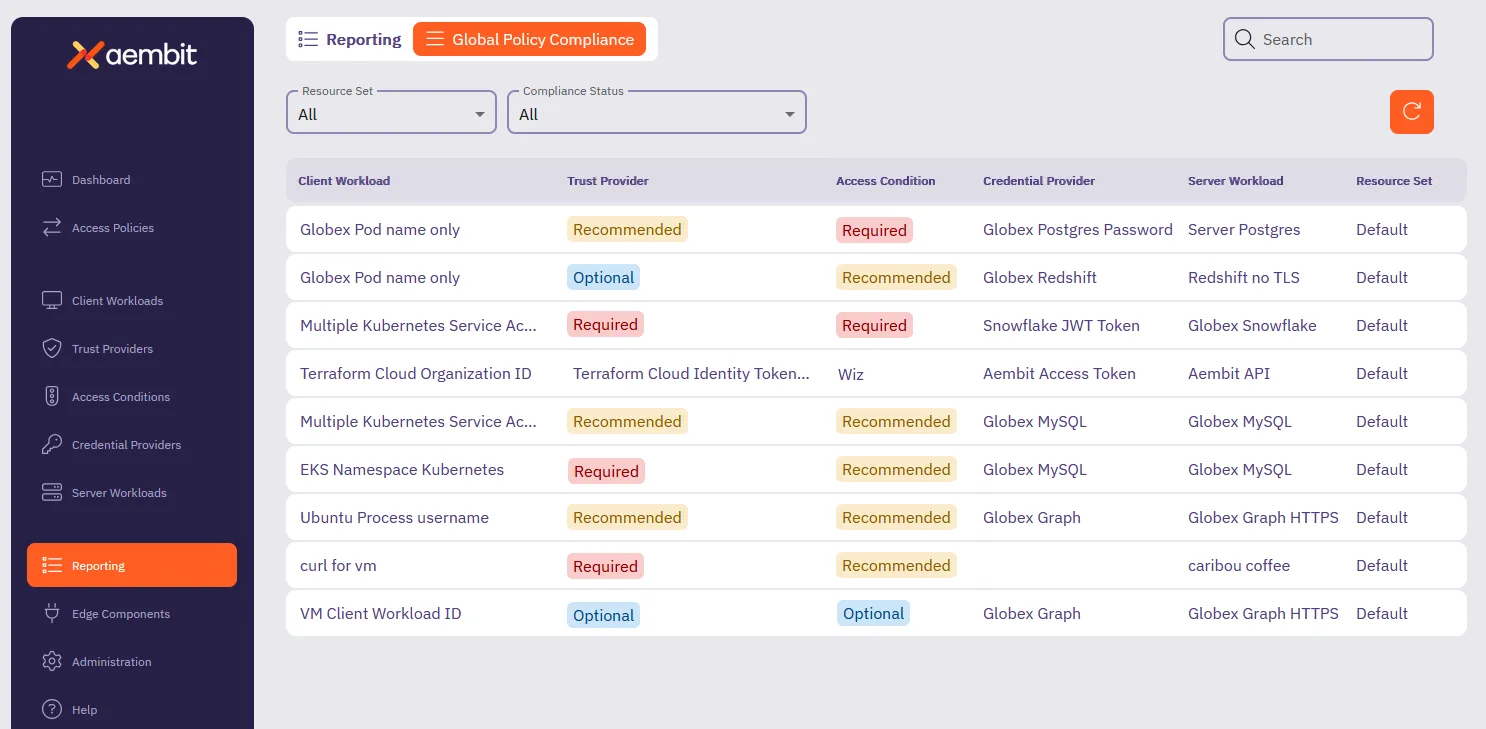
To learn more about reporting on Global Policy Compliance status, see How to review Global Policy Compliance.