GitHub Action, MCP Authorization Server beta, and Access Policy Builder now available
Aembit now provides an official GitHub Action for injecting credentials into your CI/CD workflows. The action retrieves credentials from Aembit and makes them available to subsequent steps in your workflow.
Key capabilities:
- Retrieve credentials using workload identity federation with GitHub’s OIDC tokens
- Support for AWS, Azure, database, and API key credential types
- Automatic credential masking in workflow logs
For setup instructions, see the GitHub Actions tutorial. For usage examples with different credential types, see the how-to guide.
Aembit now supports Private Network Access (PNA) for the AWS Secrets Manager Credential Provider. This allows your Aembit Edge components (Aembit CLI or Agent Proxy) to retrieve secrets directly from AWS Secrets Manager instances in private networks, such as AWS VPCs with private endpoints.
Key capabilities:
- Retrieve secrets from AWS Secrets Manager without exposing your VPC to the public internet
- Works with both Aembit CLI and Agent Proxy deployments
- No changes required to your existing AWS IAM policies or VPC endpoint configuration
For configuration details, see Private Network Access for Credential Providers and AWS Secrets Manager Credential Provider.
Aembit has released the MCP Authorization Server (beta), which secures Model Context Protocol (MCP) workloads using OAuth 2.1 authorization flows. This enables you to apply Aembit Access Policies to AI agents and MCP clients, controlling which users can access which MCP servers.
Key capabilities:
- OAuth 2.1 authorization code flow implementation for MCP-compliant workloads
- Dynamic Client Registration support for tools like Claude Desktop and Gemini CLI
- Integration with OIDC and SAML identity providers for user authentication
- Access Policies with time and location-based conditions
Aembit has redesigned the Access Policy creation experience with the new Access Policy Builder. The builder provides a card-based interface that guides you through configuring each component of an Access Policy.
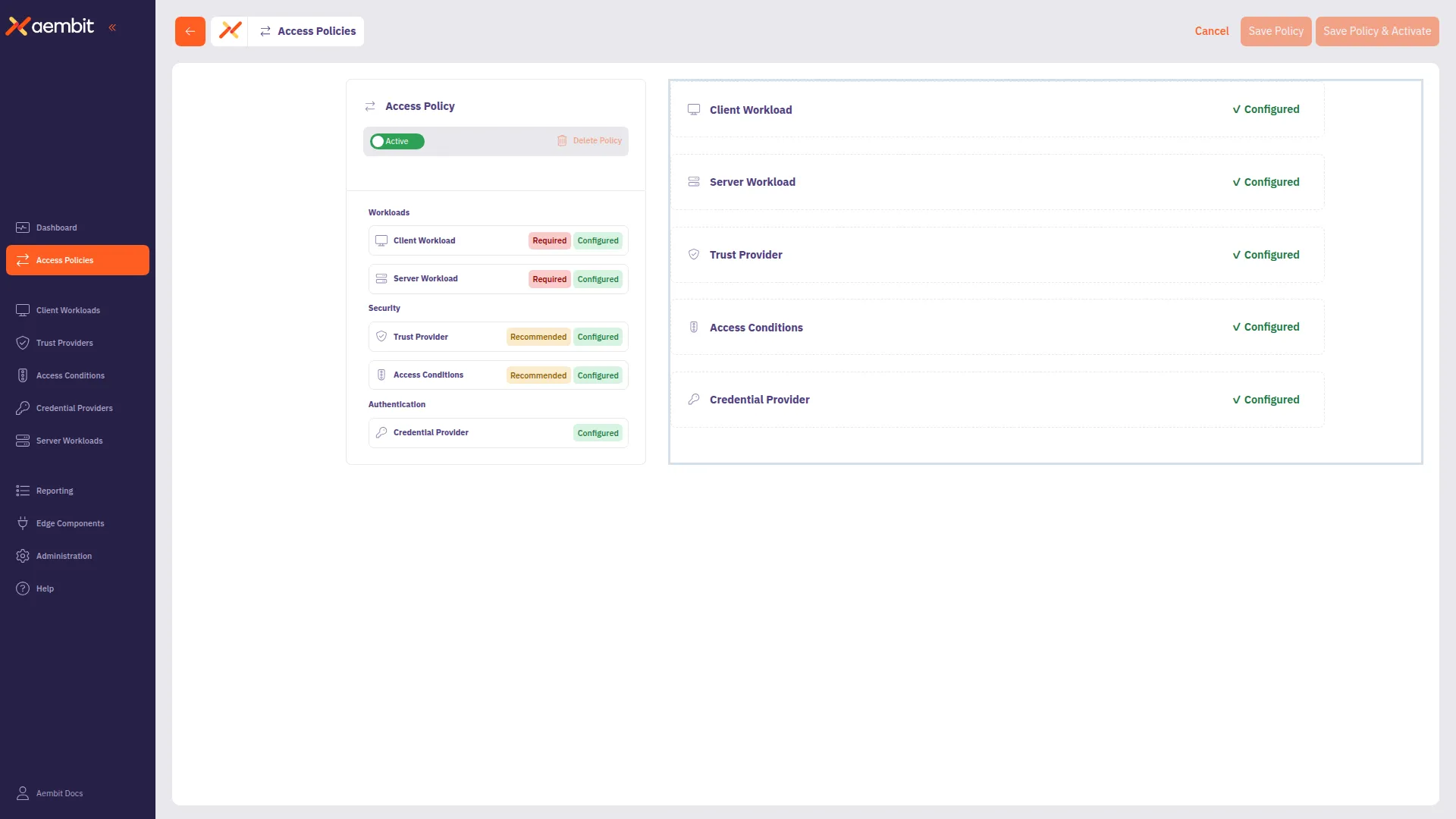
Key capabilities:
- Visual card-based navigation for policy components
- Inline creation of Client Workloads, Server Workloads, Trust Providers, and other components
- Clear indicators for required, recommended, and optional components based on Global Policy Compliance settings
To use the new builder, enable Use new access policy in your user profile preferences. For a walkthrough, see Create an Access Policy.